-
Scan the signed sheet. It reads the week.
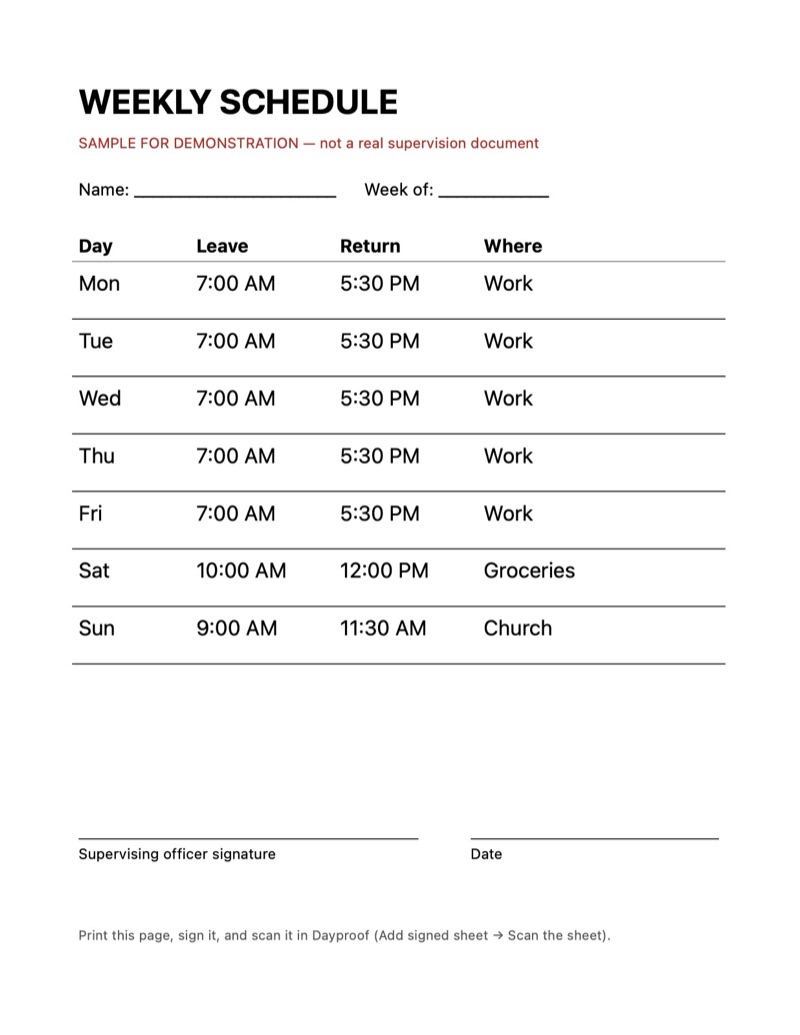
The iPhone scanner flattens the page, and Dayproof reads each day's leave and return times on the phone. The person checks every line against the paper before anything is saved.
Mon 7:00 AM – 5:30 PM · WorkSat 10:00 AM – 12:00 PM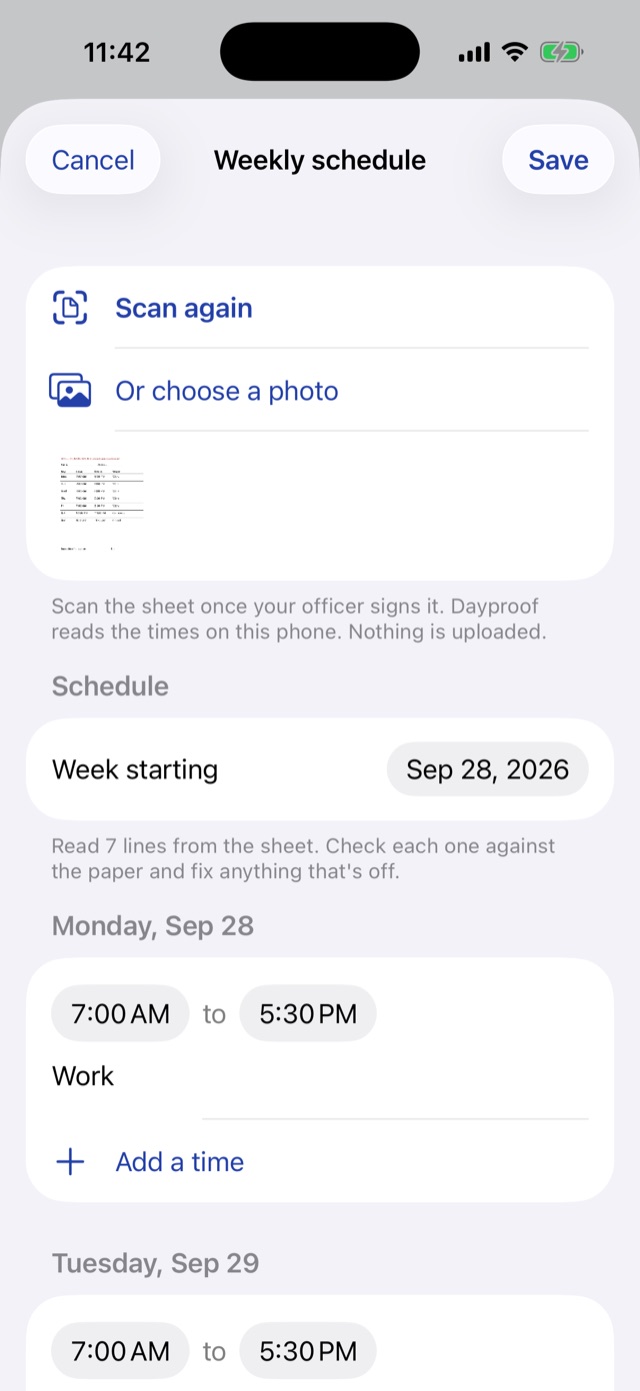
-
Open the app and see today first.
One sentence says when they're approved to be out. Below it, only what still needs doing, like a text the officer hasn't received yet.
You're approved to be out 7:00 AM – 5:30 PM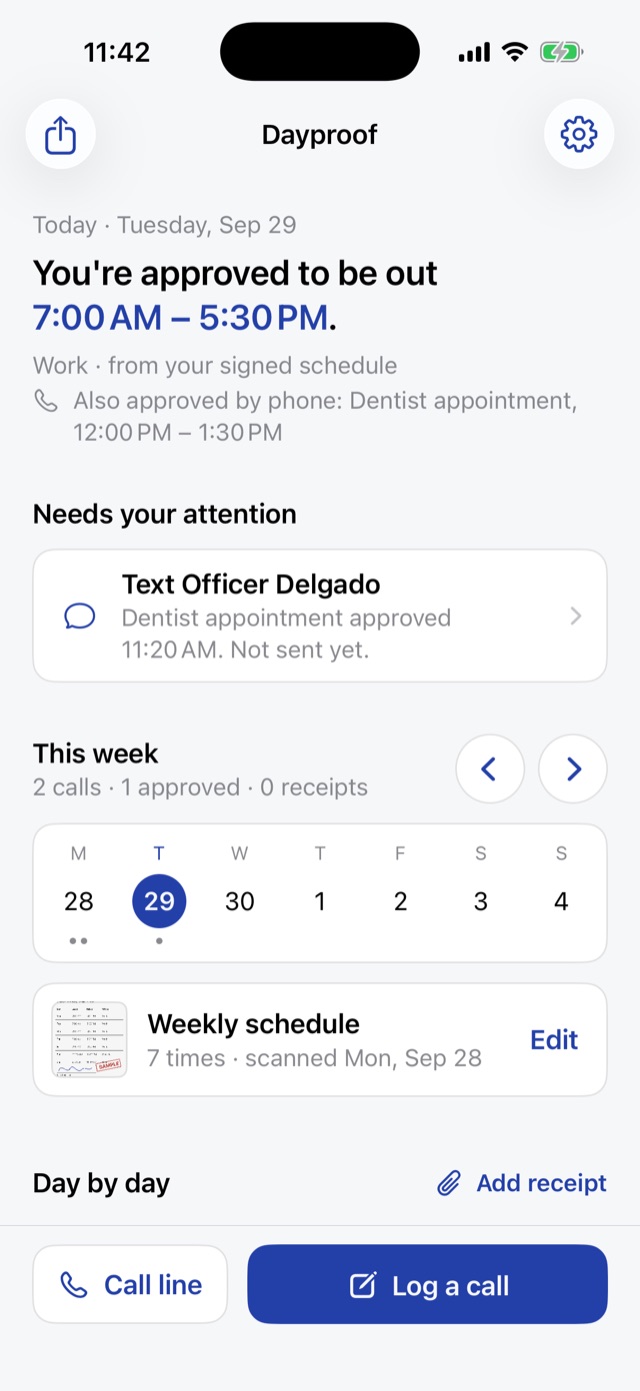
-
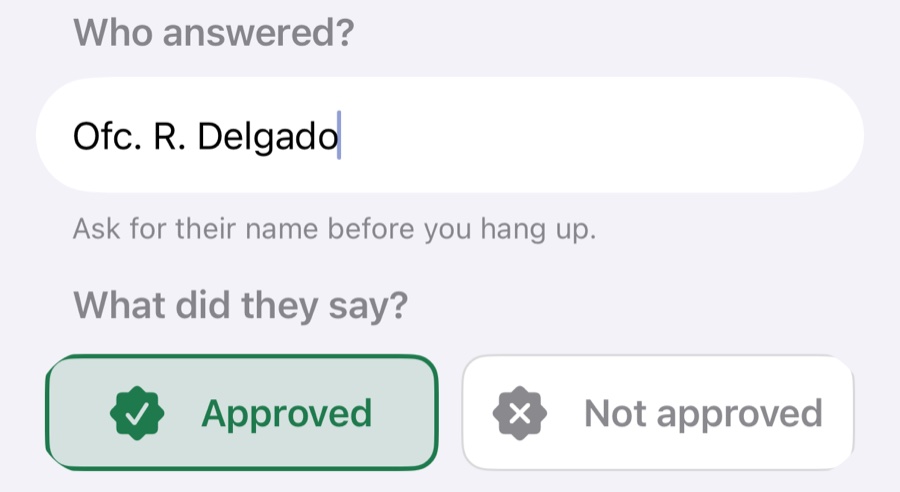
Log every call, approved or not.
Who answered and what they said, with no default answer. Each call lands on its day with a stamp, next to the schedule it changed.
ApprovedNot approved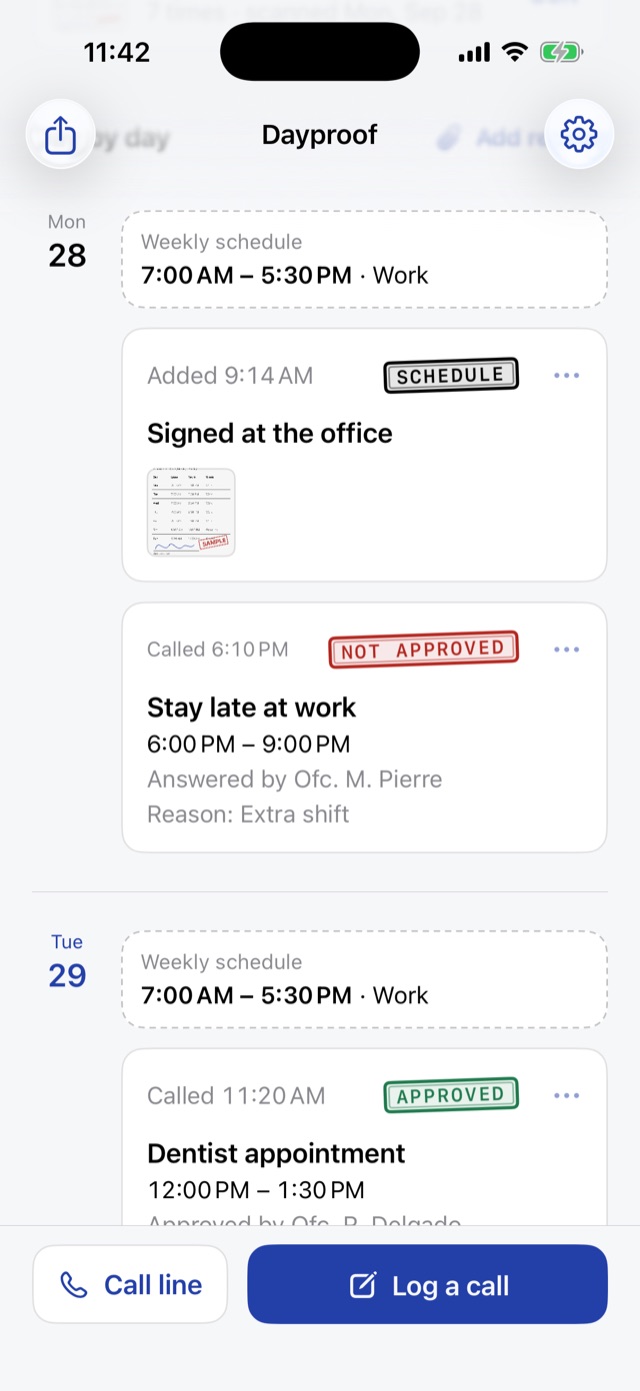
A private iPhone app for people on community supervision
Keep proof that you followed your schedule.
Scan the signed weekly sheet, log every call to the emergency line, and show your officer who approved what, and when.
PilotWorking on iPhone today. Not yet in the App Store.
Why trust it
It keeps the record. It doesn't report on anyone.
- Free account, profile onlyIt holds a name, DC number and officer's contact. Never the records.
- Records stay on the phoneCalls, schedules and photos are never uploaded. Sheet reading works offline.
- Locked with Face IDOptional lock, with the iPhone passcode as a backup.
- You send everythingTexts are drafts. Nothing goes out until the person taps Send.
What's in it for you
Less guessing for the person. Fewer disputes for the program.
For the person on supervision
- Today in one sentence. "You're approved to be out 7:00 AM – 5:30 PM," read from their own signed sheet.
- Calls on the record. Who answered, what they said, and the time window, written down before they hang up.
- A text that says the same thing. Drafted from the call, so the officer hears it in writing.
For reentry programs and defenders
- A week you can read in a minute. Schedule, calls, and receipts, day by day, shared as plain text.
- Built on the forms they already fill. Follows the weekly schedule and daily activity log (form DC3-207).
- Nothing to host. No server, no data agreement, no staff time to run it.
How it works
Three steps, taken from the real app.
Every screen on this page is a screenshot of the working iPhone app, filled with an example week.
Real screens
See it the way they will.
Boundaries
Clear about what it is.
- It doesn't change a schedule.A text or voicemail doesn't authorize a change. People follow the rules in their own supervision paperwork.
- It doesn't send anything on its own.The person reviews each draft and sends it from their own number.
- It isn't monitoring.No location tracking, no analytics, nothing an agency can pull.
- It isn't legal advice.It keeps a record. It doesn't tell anyone what to do.
For partners
Try it with the people you serve.
A free pilot for reentry organizations and defense attorneys. We'll show the working app on a real iPhone in 20 minutes and ask what you'd change.
support@getdayproof.com
- Email us with your program and city.
- See a live demo with a printed sample schedule.
- Pilot with a few participants for four weeks.